
Speeding Up Downloads using Multiple WANs on Raspberry Pi
Published:
We may often find ourselves in situations needing to download large files. However, our download link may not always have enough bandwidth, or we could be rate-limited by the WAN provider. Wireless@SGx, for example, is widely used but has a limit of 5Mbps (although practically it could reach 30Mbps). How could we improve this?
Idea
Large downloads are often the result of having to download multiple files in aggregate. For example, a model checkpoint download often contains multiple .safetensor files. If we have multiple authenticated WANs on a router, we should be able to load balance the individual downloads among these WANs and utilize a larger overall bandwidth.
Requirements
In this example, I am utilizing two WANs links. One link will use the onboard Wifi chipset. Another link will use USB tethering from a phone. Modify accordingly if you increase number of WANs / use Ethernet etc.
If you intend to use USB Wifi Adapter, do take note of firmware compatibility.
- Raspberry Pi ( I use RPi 5 )
- OpenWRT Factory Image for Raspberry Pi
- SD Card
- Developer Laptop
- Ethernet Cable
- Mobile Phone & Cable for USB tethering
Setup
- Follow the instructions to flash an SD card with the OpenWRT Factory Image.
- Use Ethernet Cable to connect your Laptop to the Raspberry Pi.
- Access Router Configuration Page at
192.168.1.1through a browser. - Access the wireless page and authenticate to a Wifi hotspot. Your OpenWRT router should now have access to Internet.
- Access Router over
ssh root@192.168.1.1 opkg update && opkg install kmod-usb-net-rndis kmod-usb-net-cdc-ether usbutils luci-app-mwan3- On the Admin page, add a new DHCP client with the
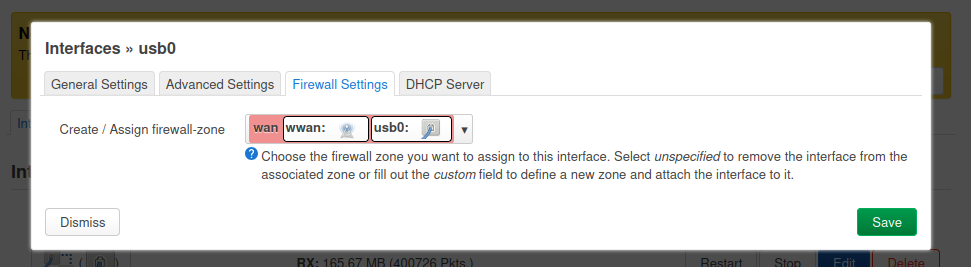
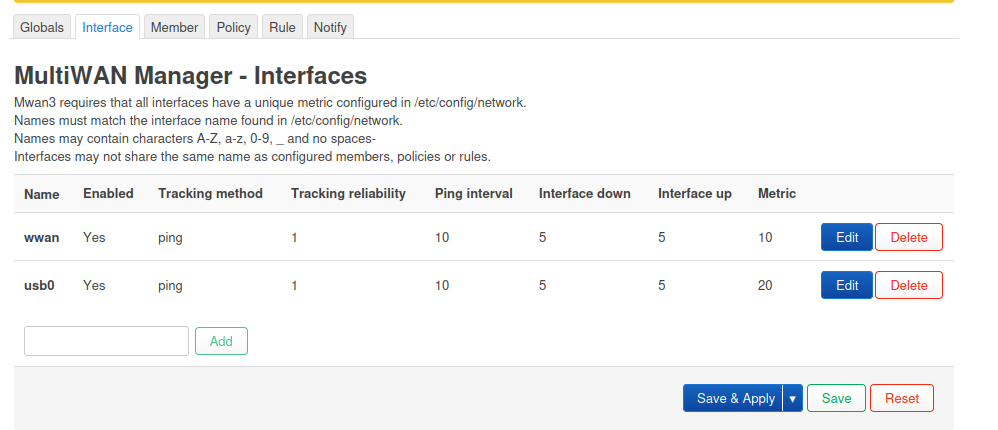
usb0interface. Assign it towwanfirewall zone. Ensure that a gateway metric is set for theusb0andwwaninterfaces. Set slightly different values for each (usb0to20,wwanto10, for example.)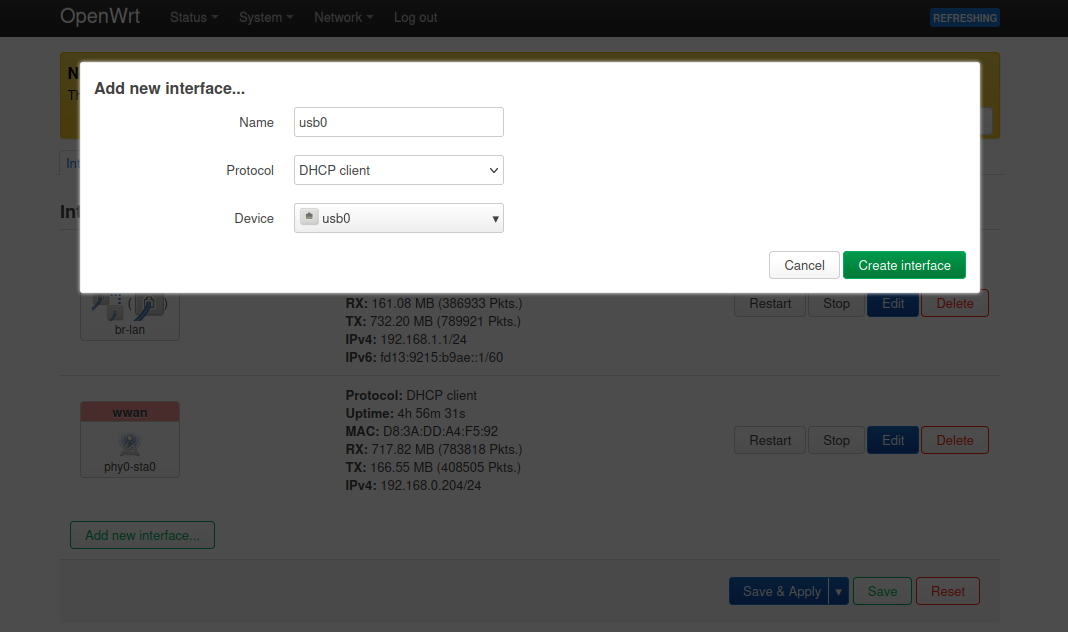

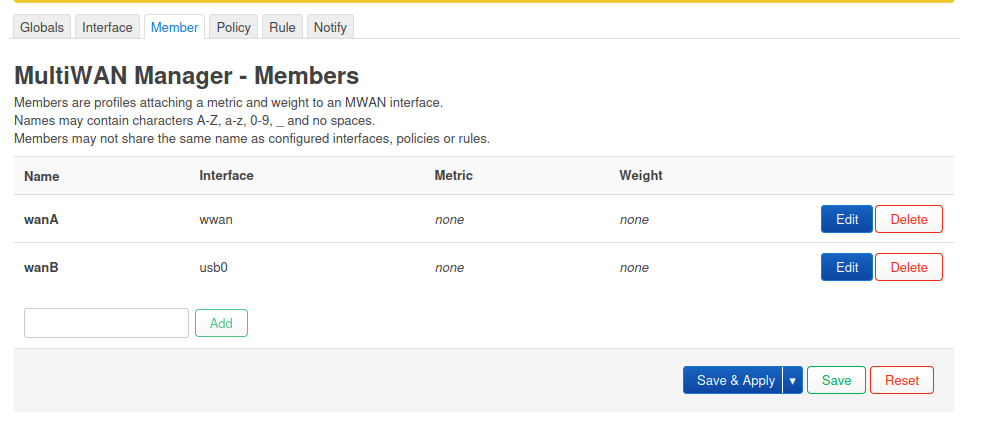
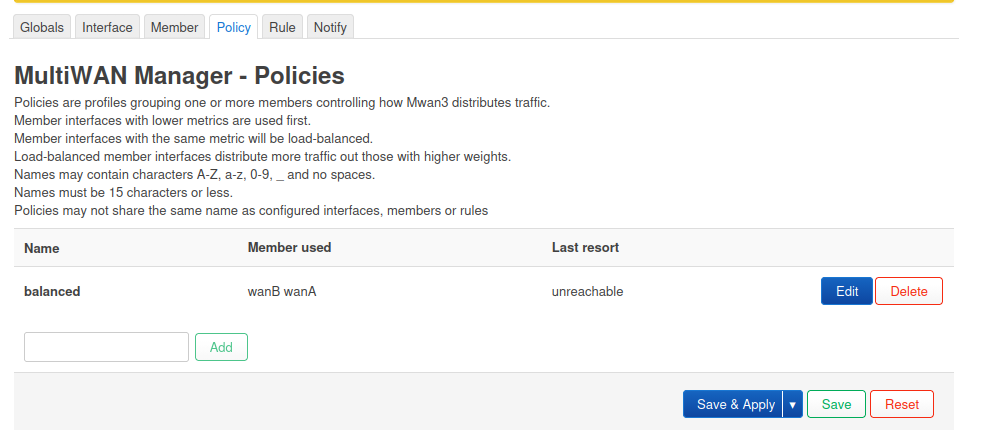
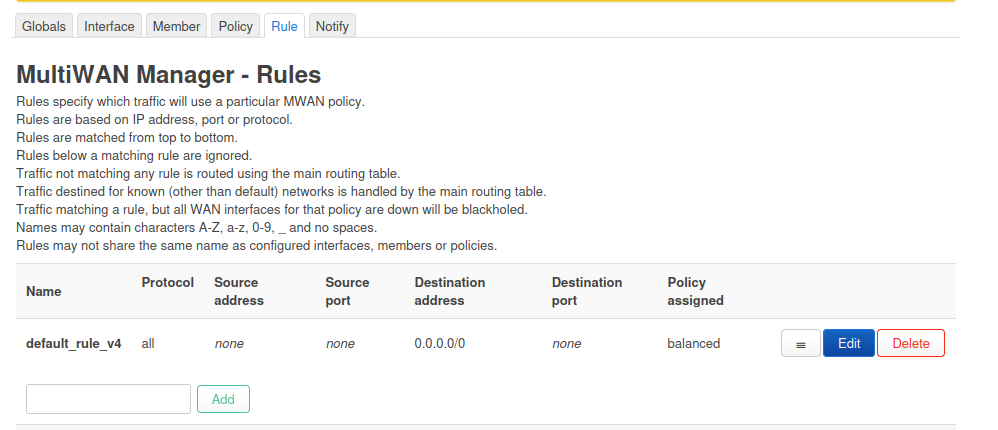
- Configure the MultiWAN Manager under
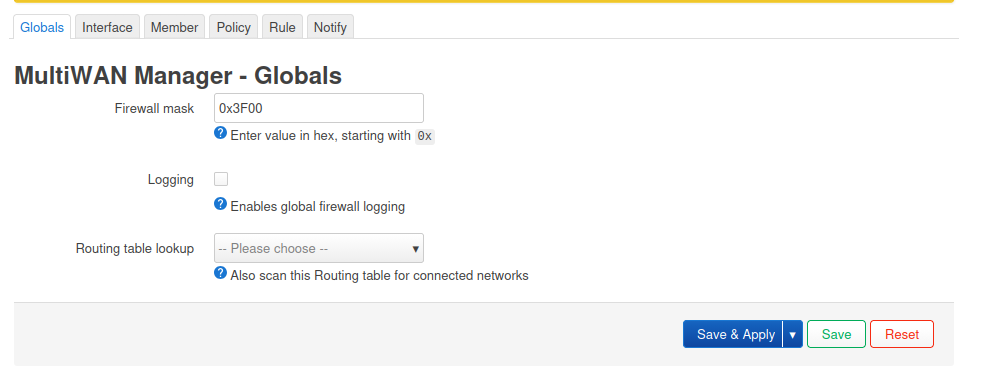
cgi-bin/luci/admin/network/mwan3with the following: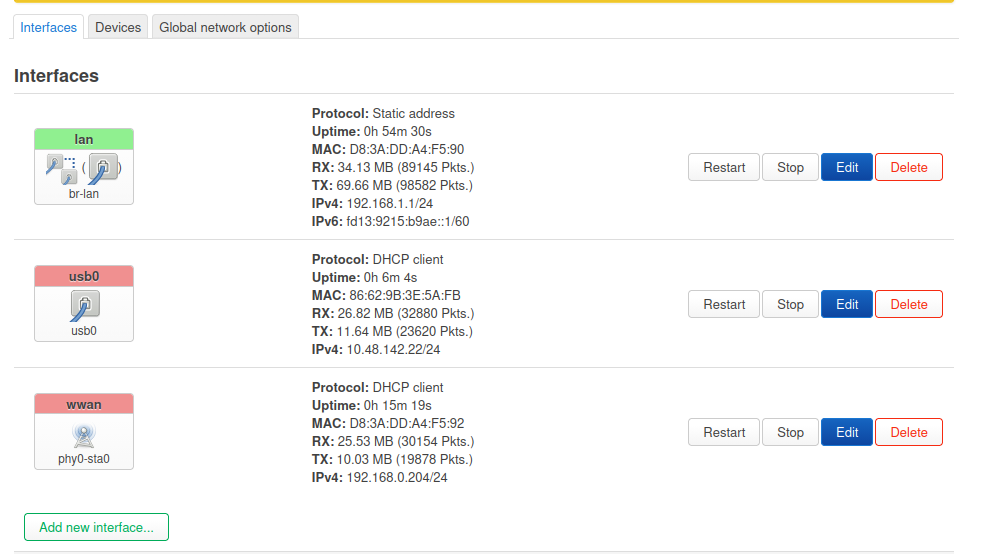
- Run on SSH terminal:
mwan3 status. Verify that both WANs are online, and the load balancing ratio is 50/50.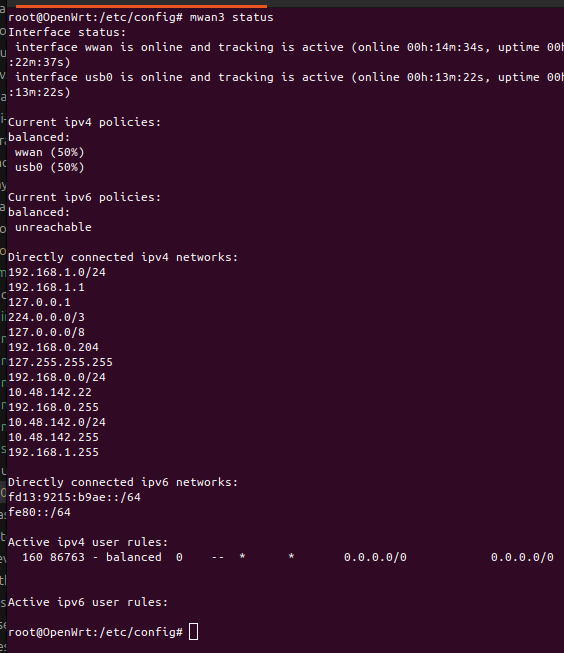
- Run on SSH terminal multiple times:
wget -qO- https://ipecho.net/plain ; echo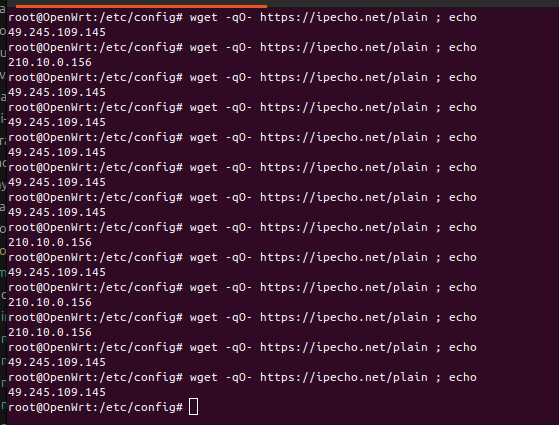
In theory, this arrangement should allow you to load balance multiple download HTTP requests across your WANs. An additional benefit is the automatic failover that triggers on link failure.